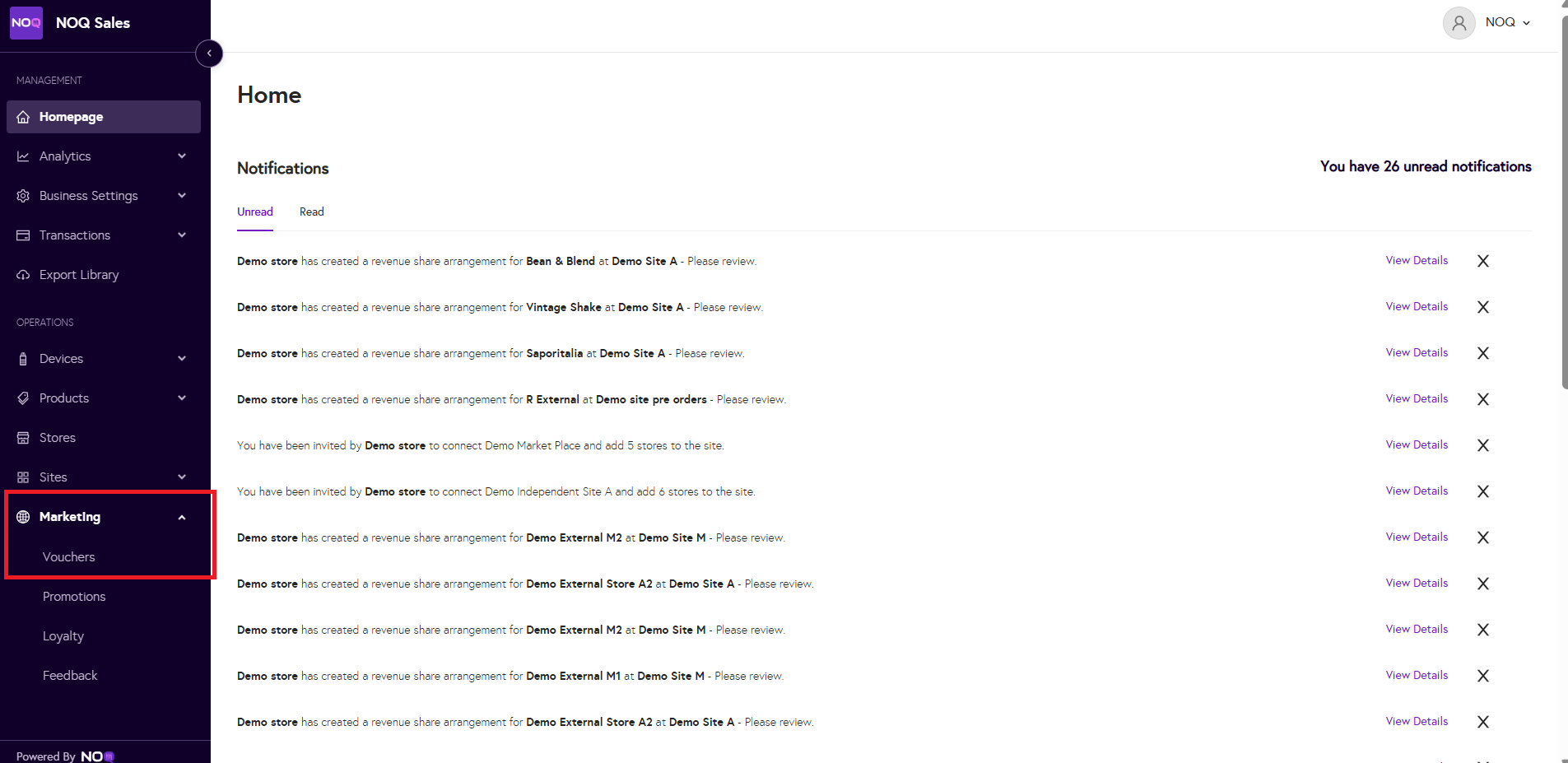
- Down the left hand side, select 'marketing' and then 'vouchers'
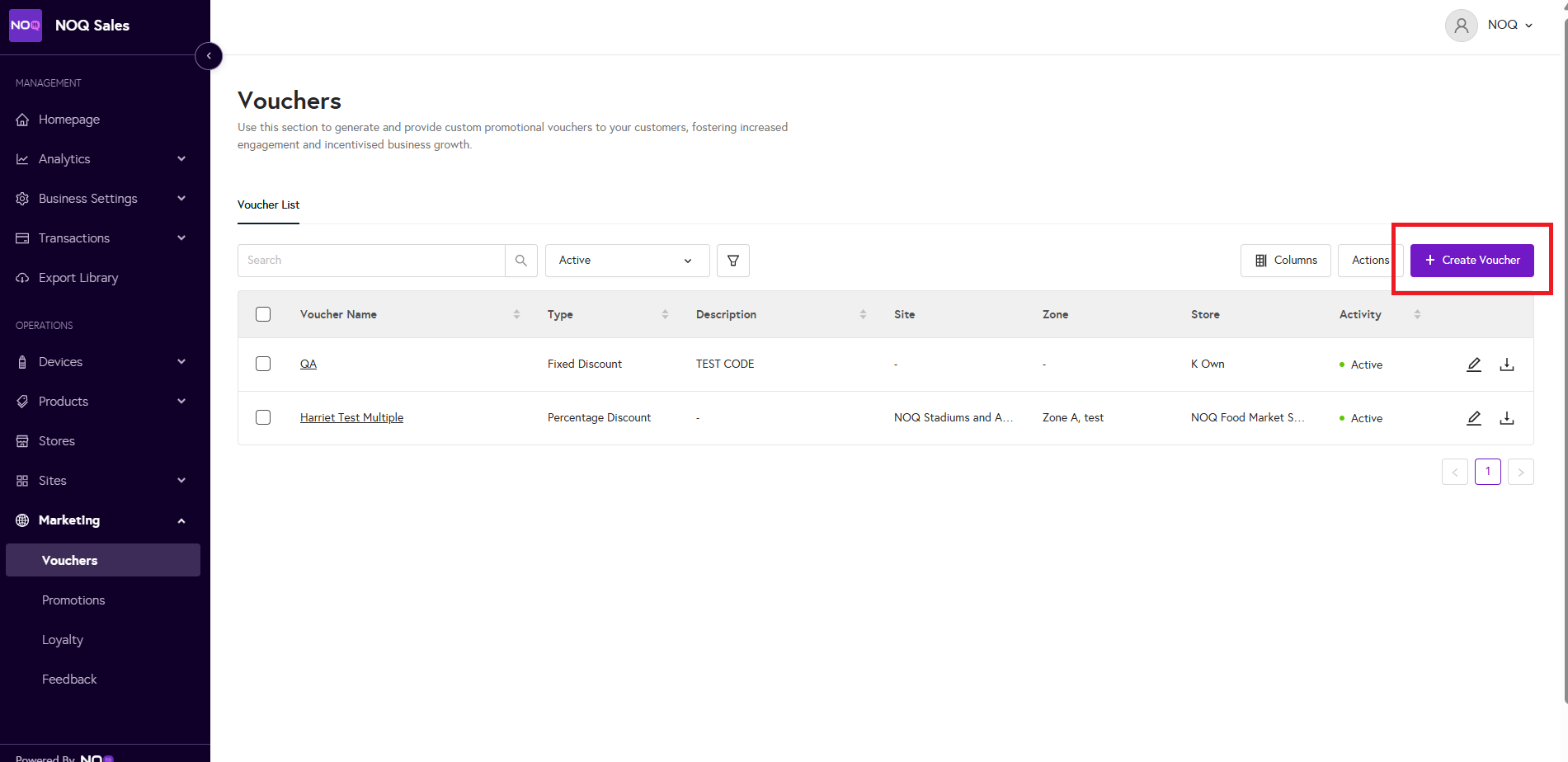
- Select 'create voucher'
- Name your voucher here and continue to fill out all other conditions within this page.

- Select where you would like this voucher to be used

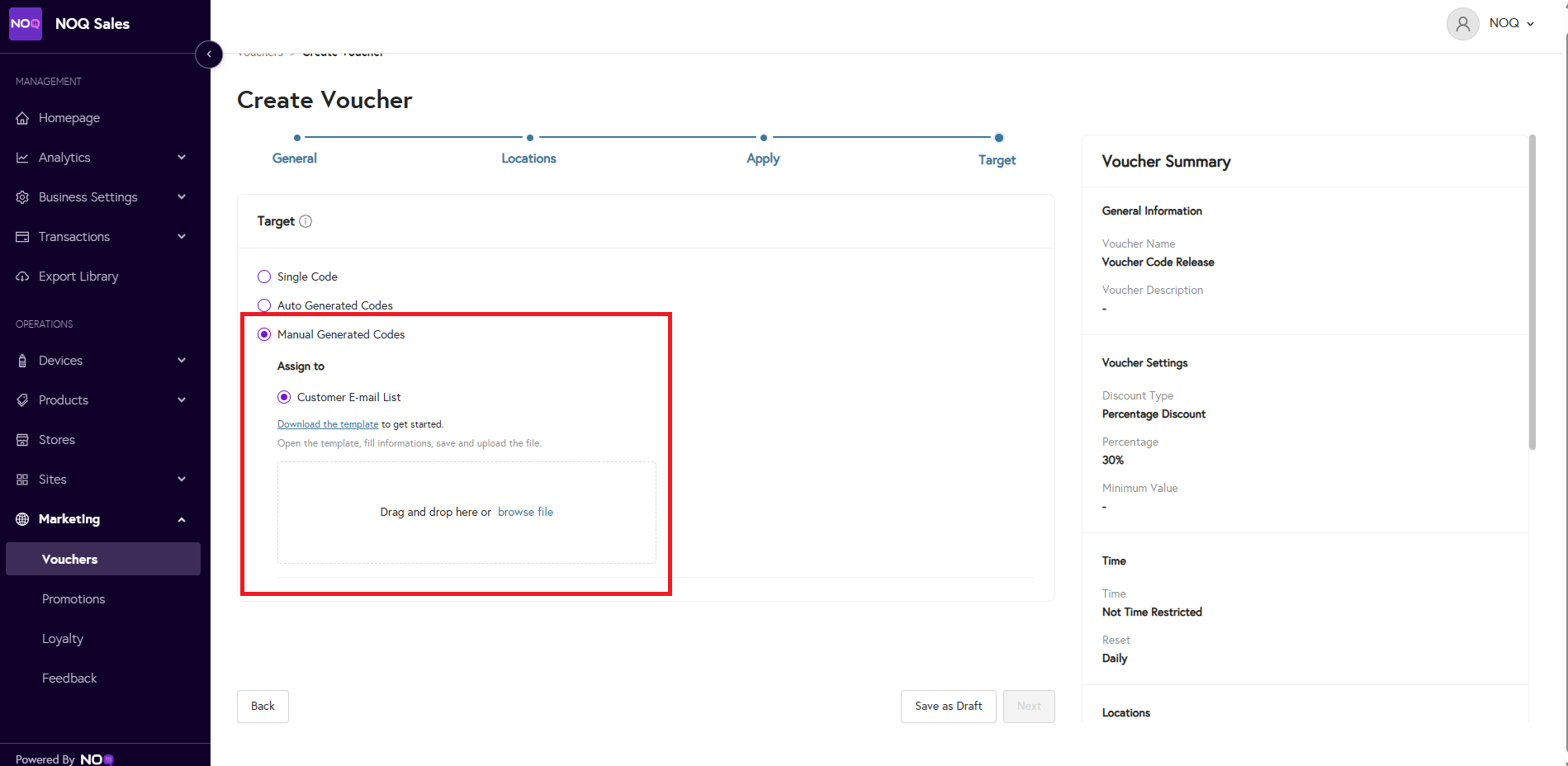
- Here you can select 'manual generated codes' where you can download the CSV template, upload all email addresses and voucher codes and upload the CSV.