
1. Login to the NOQ portal.
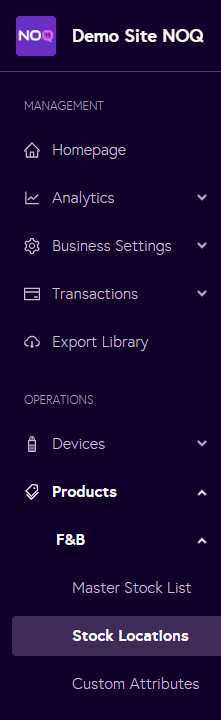
2. Navigate to Products -> F&B -> Stock Locations from the left navigation bar.
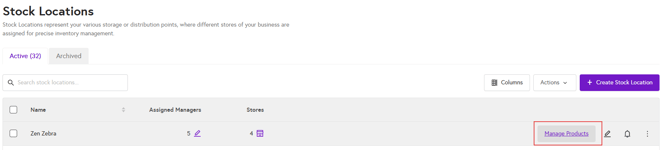
3. From the Stock Locations page, click on Manage Products.
4.From the Manage Products page, go to the Stock Action History tab.
-
Select the timeframe from the options below. All stock actions for that period (such as transfers, counts, and backdated actions) will appear.

- You can only reverse the most recent stock action.
- Click Reverse for the latest stock action you would like to reverse
- For anything else, create a new stock action.

⚠️You can only reverse the most recent stock action. If you preform another stock action, previous stock actions cannot be reversed.⚠️