
NOQ Portal includes a Stock Action History feature that lets you view all past stock movements, making it easy to review and reference them in the future.
1. Login to NOQ Portal.
2. From sidebar, navigate to Products > F&B > Stock Location.
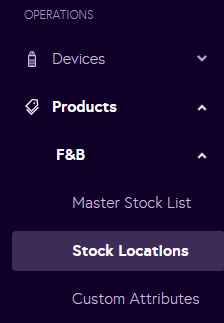
3. Go to the Stock Action History Tab.

4. Here you can filter by date and time to view all stock actions taken. Remember, you can only reverse the most recent action.
