1. Login to the NOQ Portal.
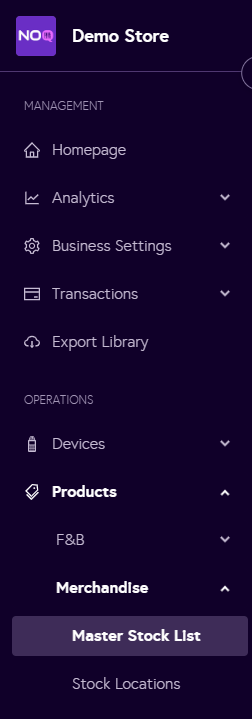
2. Navigate to Products -> Merchandise -> Master Stock List.
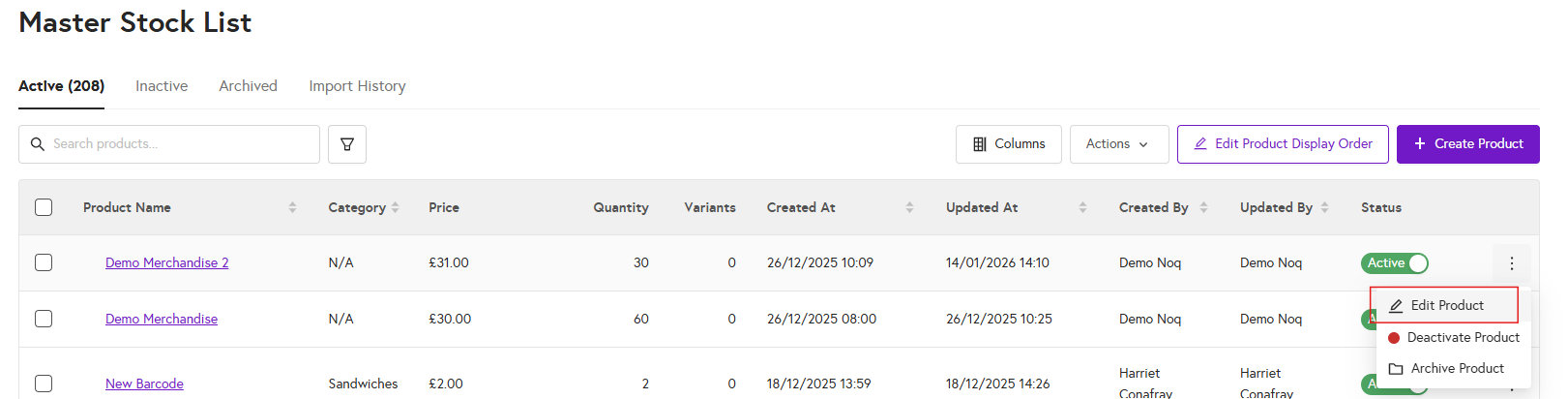
3. In the Master Stock List, click the pencil icon next to the item you want to edit, then select Edit Product.
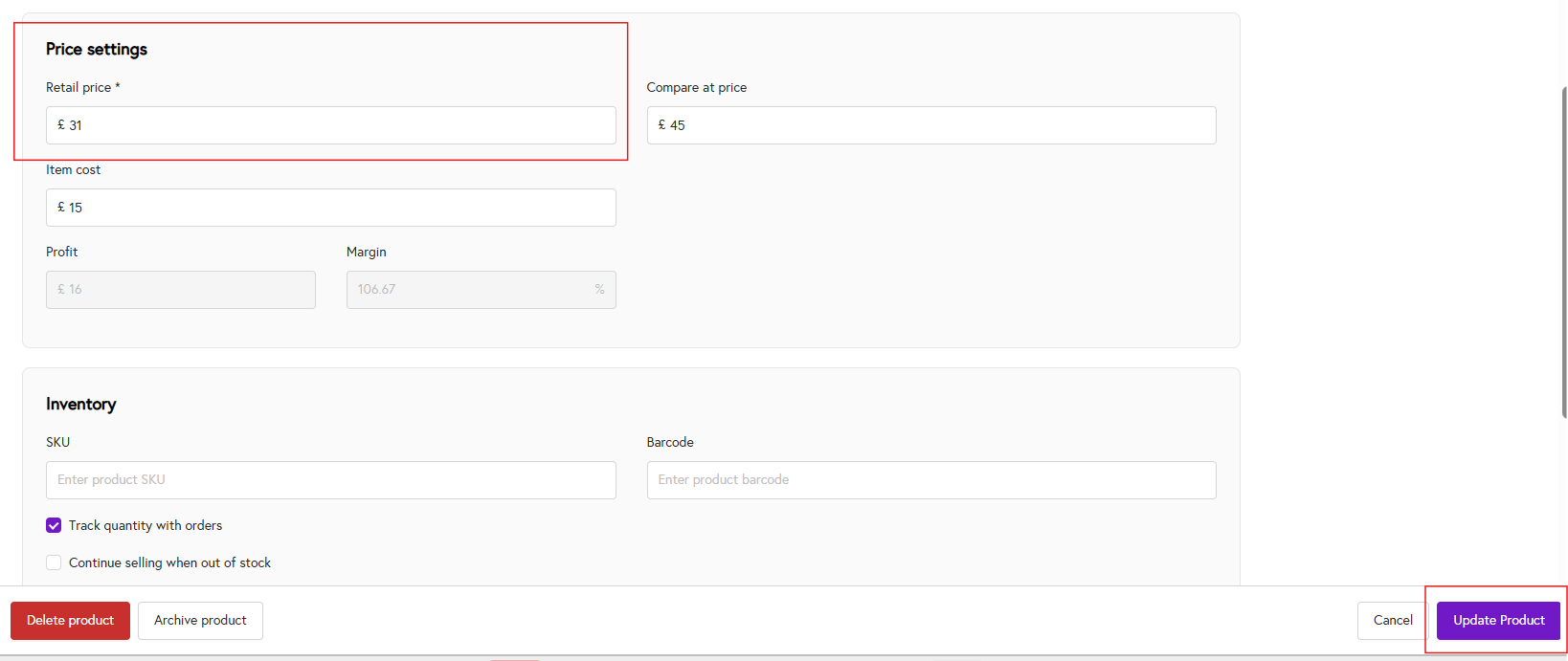
4. Scroll down to the Price Settings section and, under Retail Price, enter or update the price as needed. Then click Update Product to save your changes.