
1. Login to the NOQ portal.
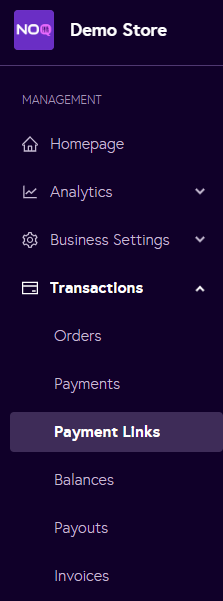
2. Navigate to Transactions -> Payment Links.
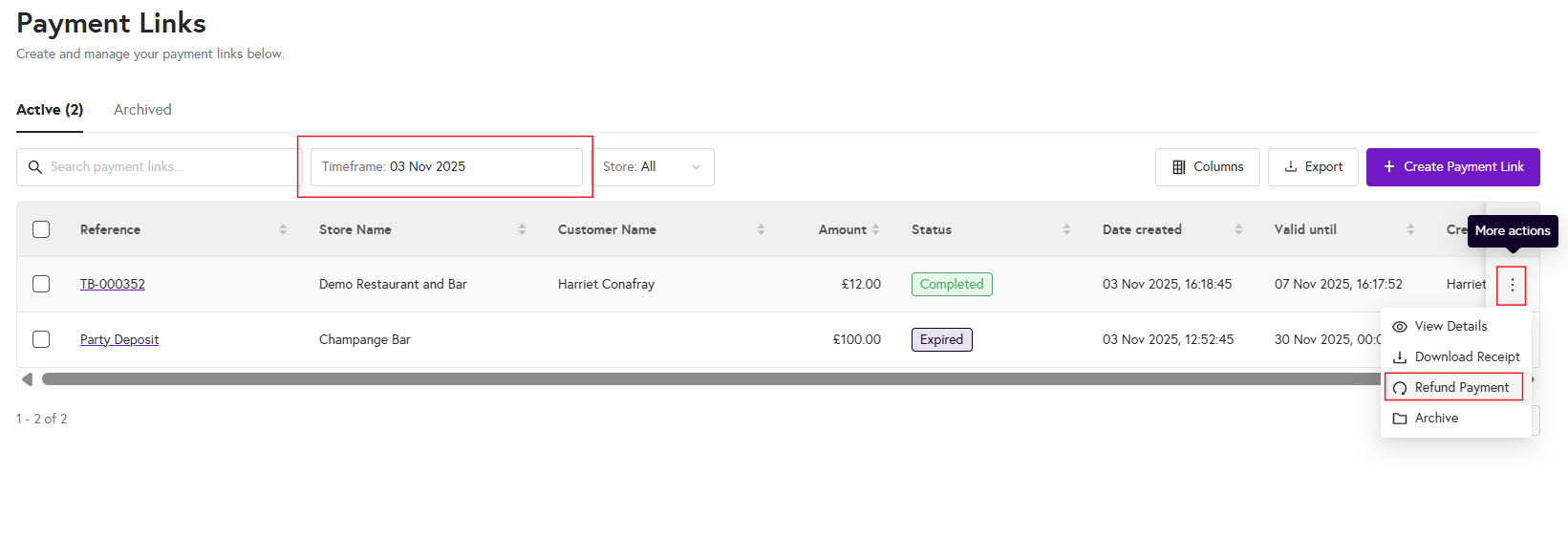
3. Select the relevant time frame, find the payment link you would like to refund, then click on the three dots and select the Refund payment option.
4. In the dialog box that appears, choose either a full refund or a partial refund. If you select a partial refund, enter the refund amount and then click Submit.

5. The payment made will be refunded to the customer and it will reach their bank account in 3-5 business days.