
How to check the App Version on Your EPOS App
1. Open the NOQ EPOS on the terminal where you want to check the version.
2. Enter your PIN or tap ‘Skip’ to continue.
3. Tap the three horizontal lines (menu icon) in the top-left corner of the screen.
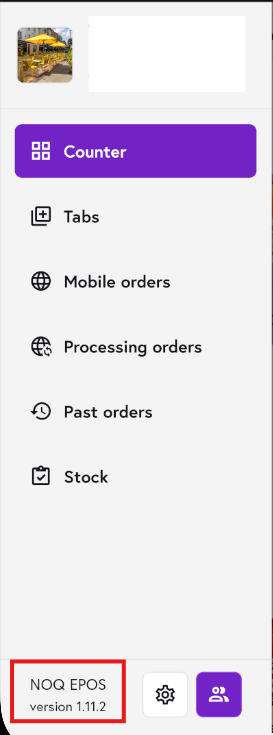
4. The app version installed on the terminal will be displayed on the bottom of the left navigation bar, as shown in the screenshot.
Note: If you would like your apps to be updated, please contact our support team and raise a support ticket here.