
1. On your terminal, click on the EPOS v3 app icon.
2. When the app opens, you will see the welcome screen. Click the clock icon to open the check-in/check-out page.

3. You will see a list of all managers and staff. To clock someone in, tap Clock in next to their name.

4. Ask the manager or staff member to enter their own PIN. If an incorrect or different PIN is entered, an error will appear. Once the correct PIN is entered, the timer will start and a success message will be displayed.

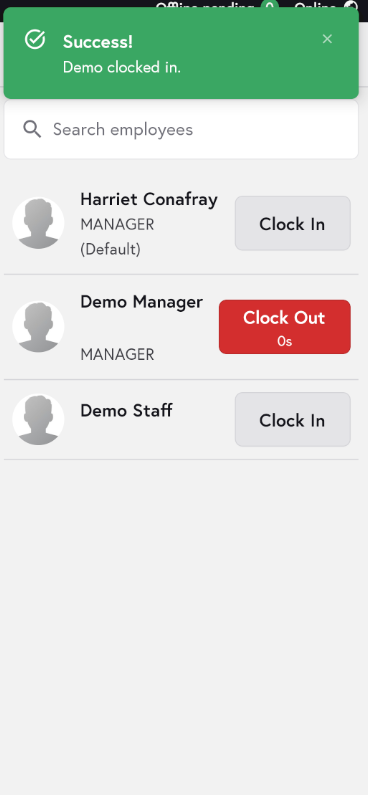
5. To clock out, tap Clock Out next to their name and have them enter their PIN again.

Want employee clock in/ clock out report? Check out this article: