
1. Login to NOQ Portal.
2. Navigate to Products -> F&B -> Menus.
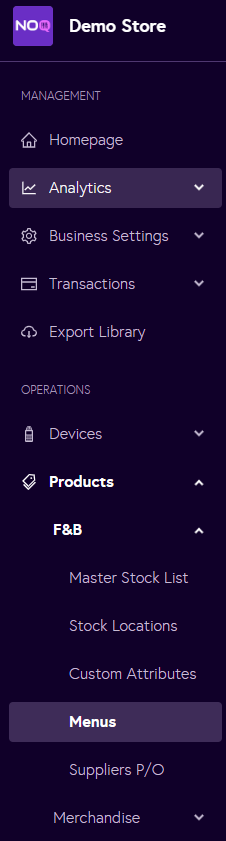
3. In the Menus section, click Manage items for the menu you would like to rearrange categories and items for.

4. To rearrange items within a category, click on the six dots highlighted in the red box in the image below, then drag the item up or down to your preferred position. The list will automatically update and save your changes.

5. To rearrange the whole category, click and drag the same six dots highlighted in red box in the image next to the category name to move it up or down.
