1. Login to the NOQ Portal
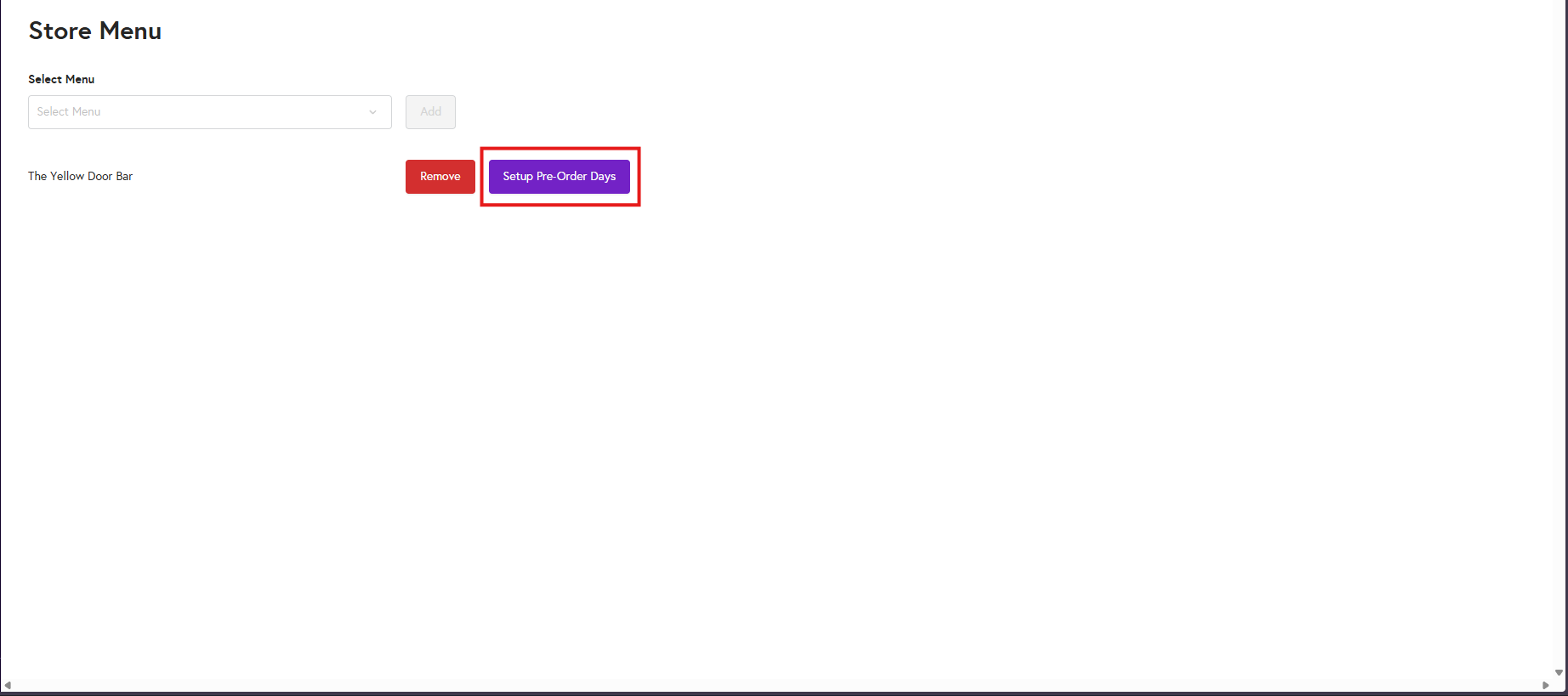
2. Navigate to Store -> Assign Menus -> Select the Menu of the particular Store Service Type -> Click on Set Up Pre-Order Days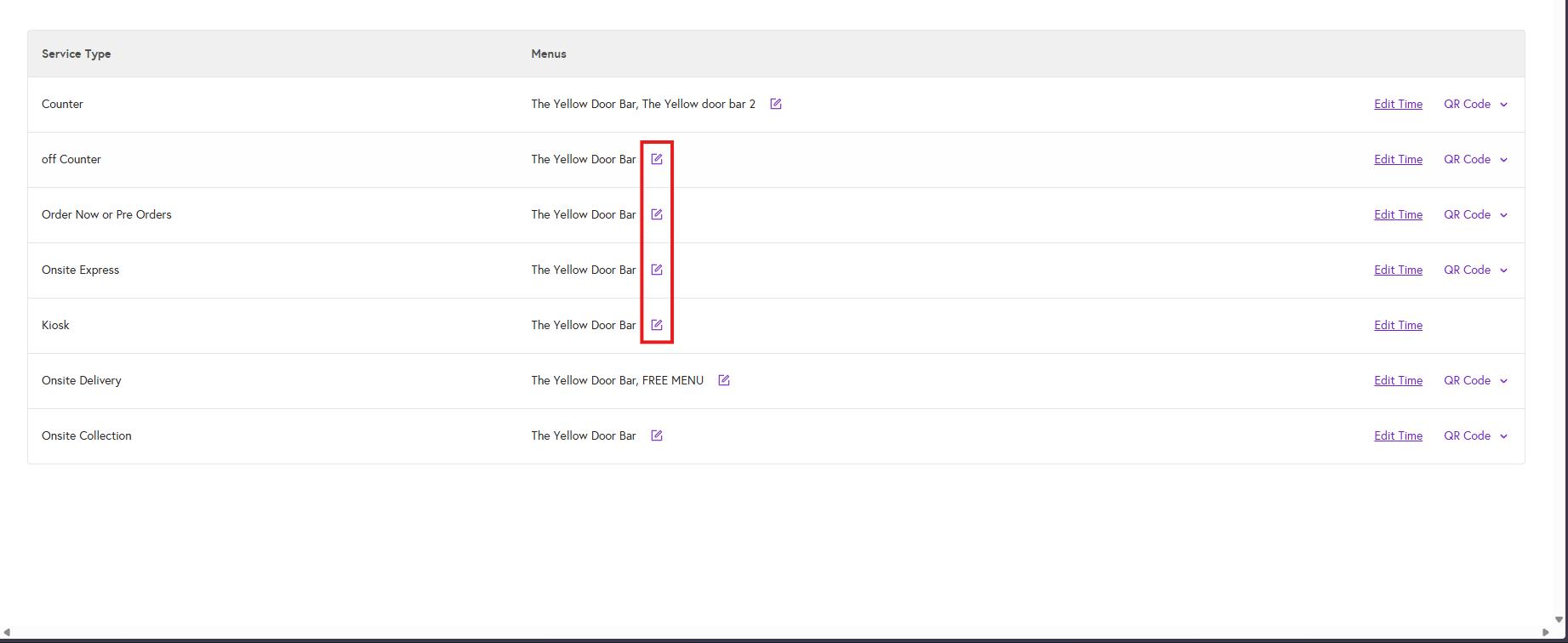
3. You will see your already set up Menu Times like below under 'Pre-Order Days'
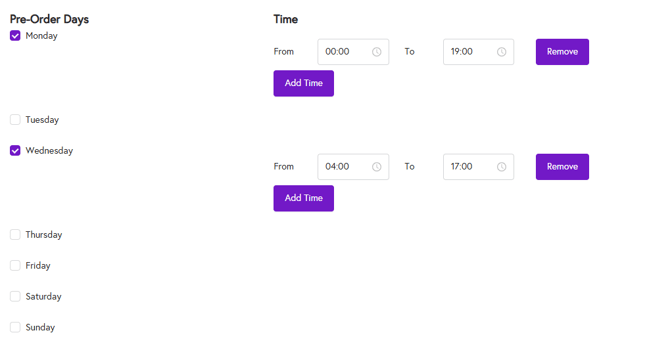
4. You can select or unselect days and edit the From and To times as needed.
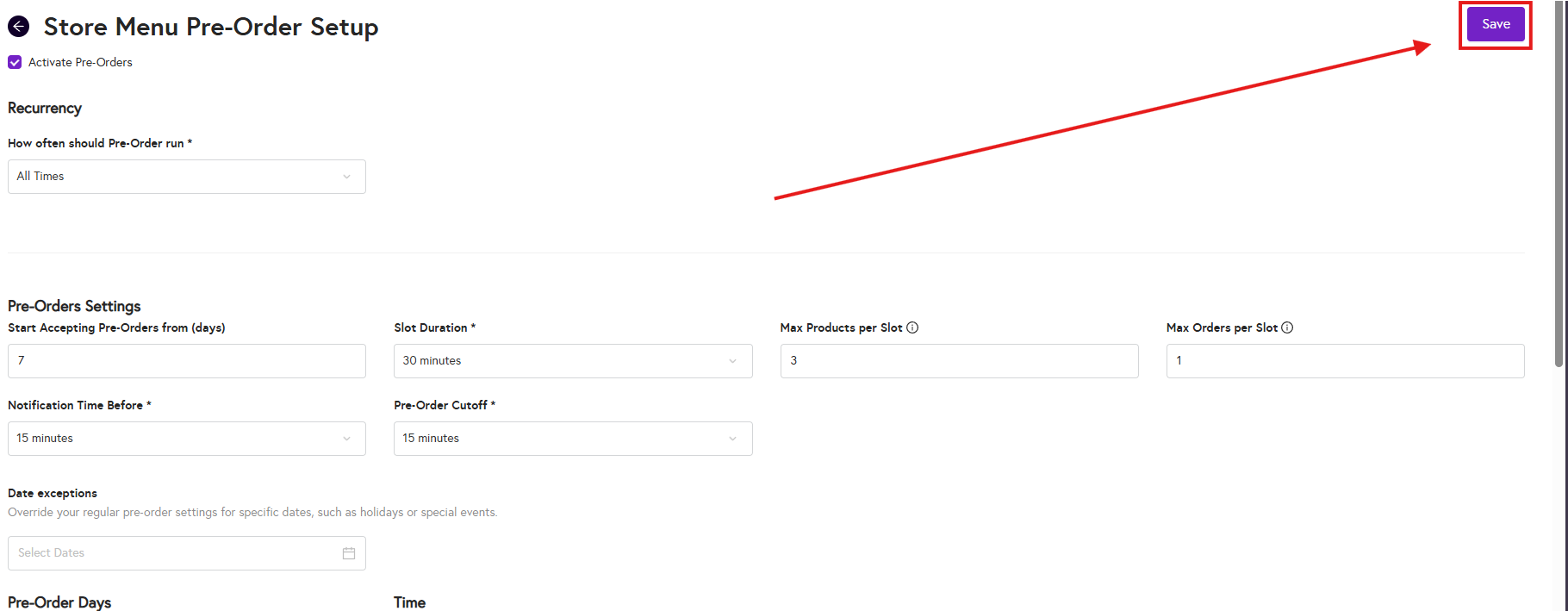
5. Once updated, click Save in the top-right corner to apply the changes.