1. Login to the NOQ portal.
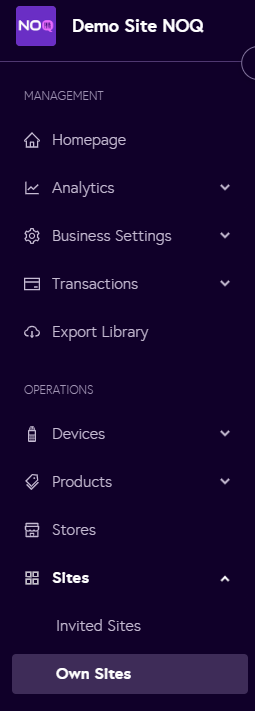
2. Navigate to Sites -> Own Sites.
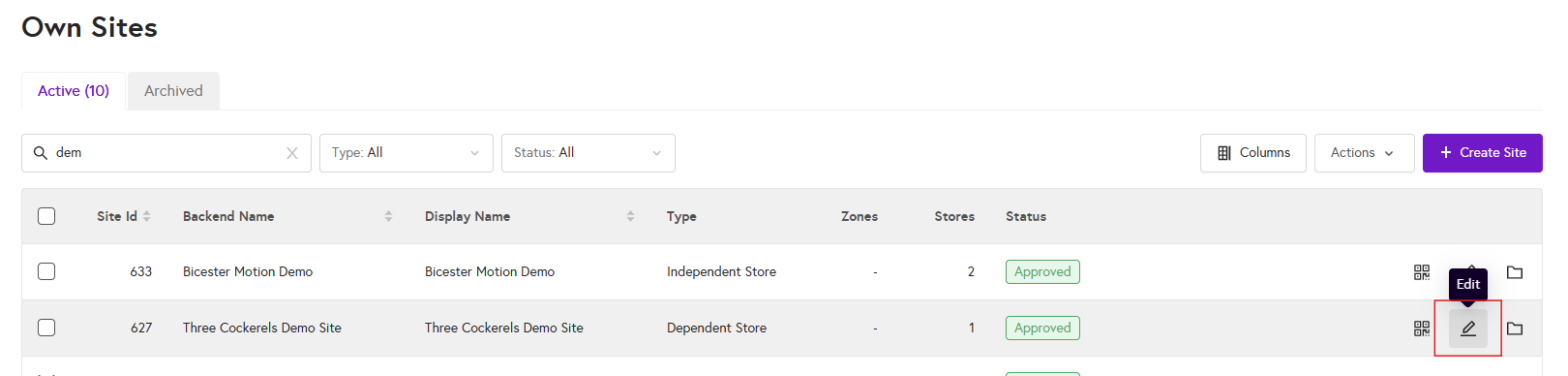
3. Click on the edit icon of the site you would like to check the members list for.
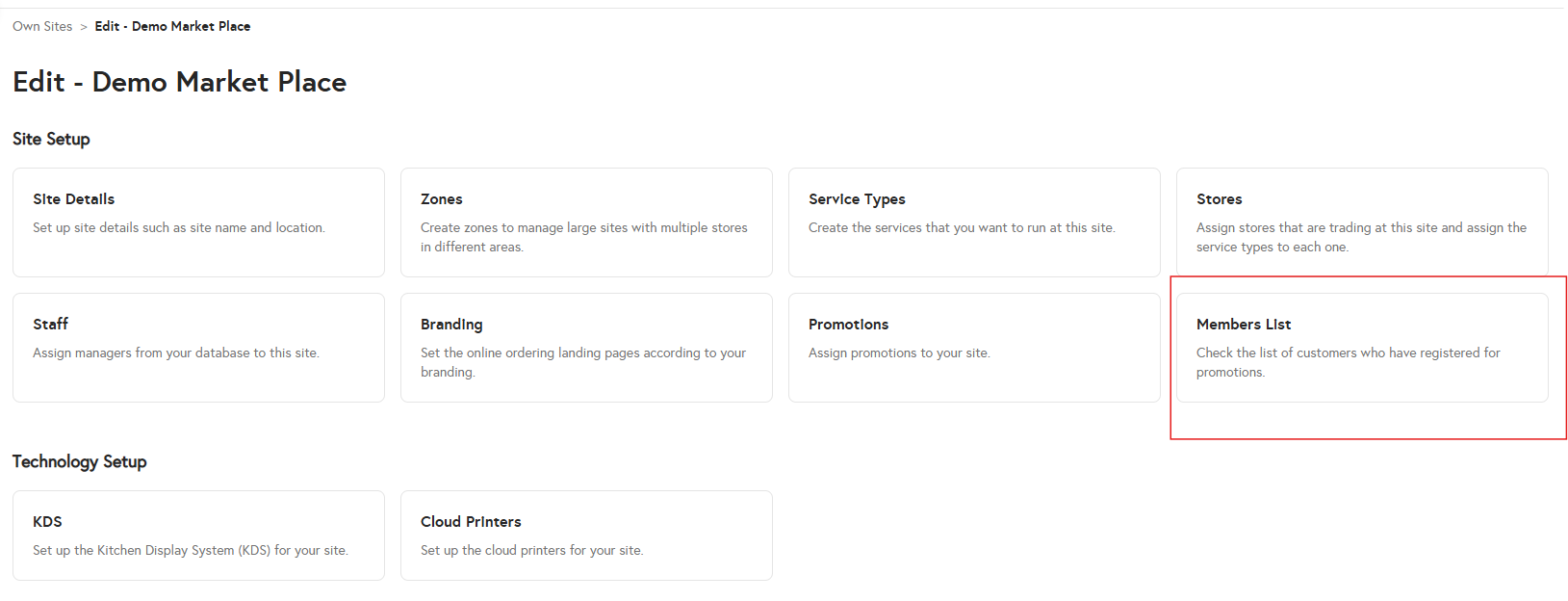
4. Click on 'Members List'.
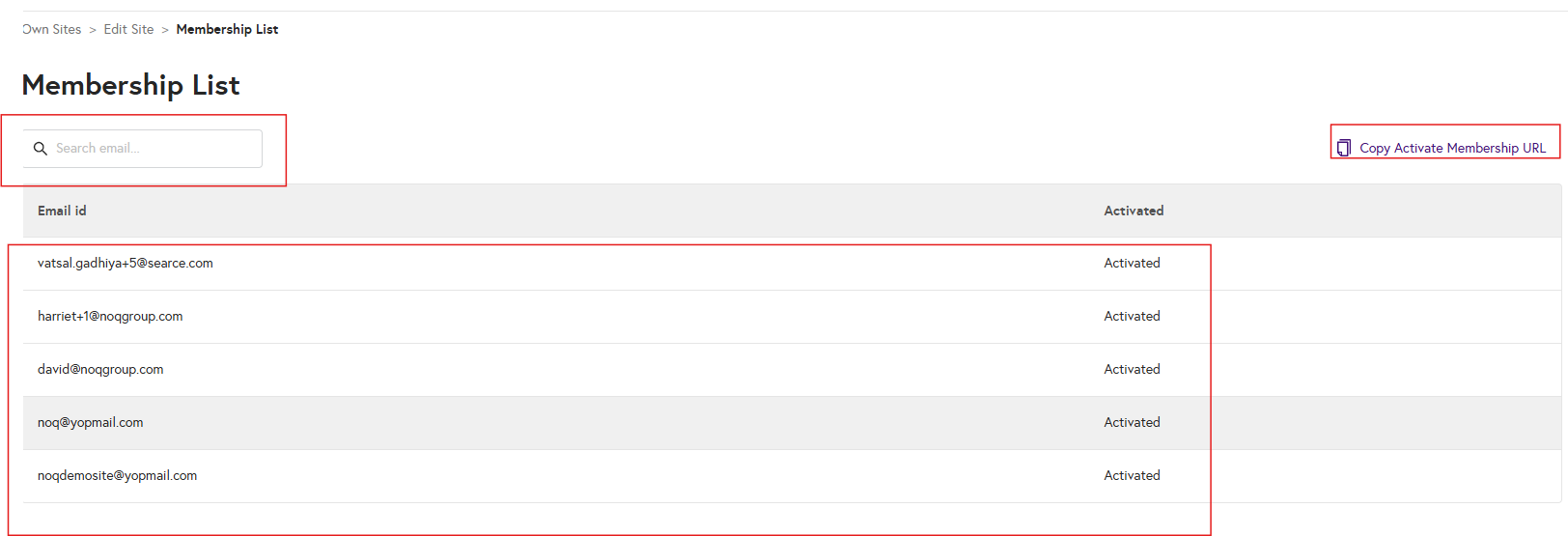
5. On the Members List page, you can view all customers who have registered to receive promotions. You can search by their email address and see the full list here. You can also copy the membership activation URL for your site and share it with customers so they can register.