
1. Login to NOQ Portal.
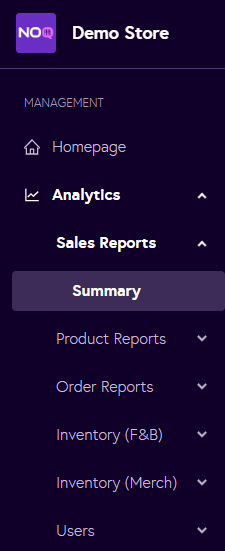
2. Navigate to Analytics -> Sales Report -> Summary
3. Select the store name from the dropdown, choose the time frame, and then click on Generate.

4. When you click Generate, the Store Sales Summary report will display. Under Product Sales, look for the row labelled Unpaid. In the Cards column of this row, you will see all orders that remained unpaid while the terminal was in offline mode due to issues such as insufficient card balance, PIN being declined, or similar card-related declines.
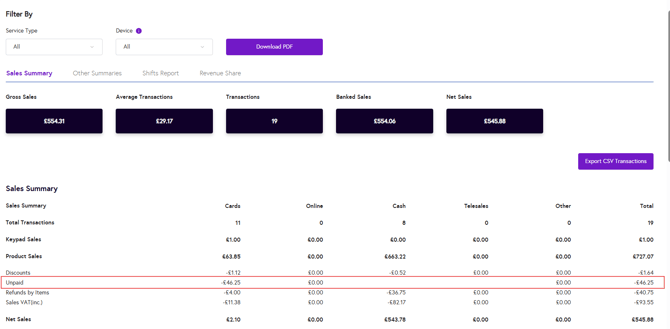
Note: You can also click Download PDF to export the report.