
1. Login to the NOQ Portal
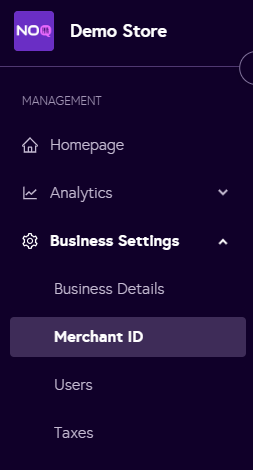
2. Click on Business Settings -> Merchant ID
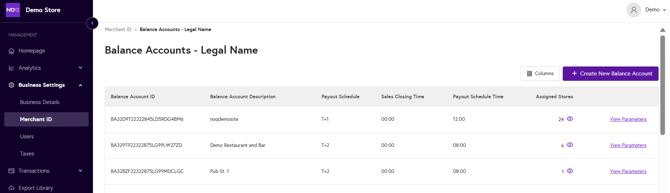
3. Then you will see your Merchant Service Account (MSA), click on the pencil icon under the Balance Account

4. Then click on 'Create New Balance Account' on the top right corner.
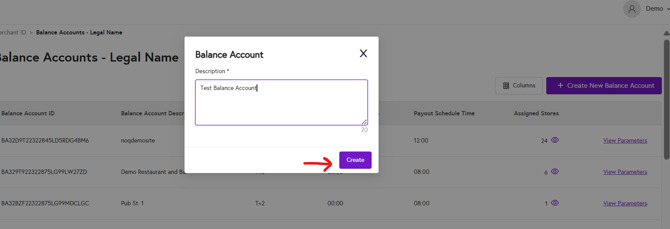
5. A dialog box will appear, add a description/name for the balance account and press 'Create'.
6. Once you have created the balance account, click on 'View Parameters'

7. Once you click on view parameters you would be able to only view the parameters we have assigned for your business.
- Payout Delay: Here you can see whether you are on T+1 or T+2 payout
- Payout Schedule Time: The time mentioned here is when your revenue will be transferred from Adyen to your MSA you have created with us
- Transfer Instrument: Here you can see the last 4 digits of your bank account where your money will be paid