
1. Login to the NOQ Portal.
2. Navigate to Sites -> Own Sites.
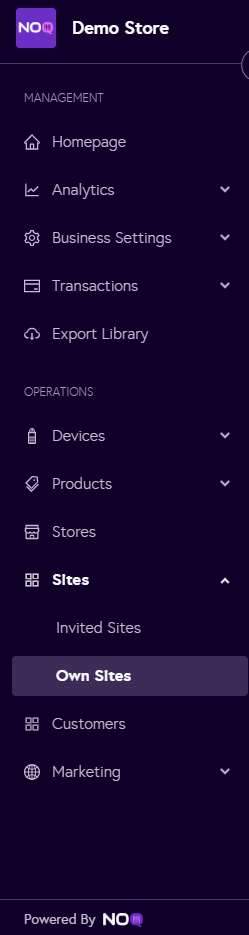
3. Click the ‘Edit’ icon next to the site you want to edit the details for.

4. Under Site Details click on Site Details.
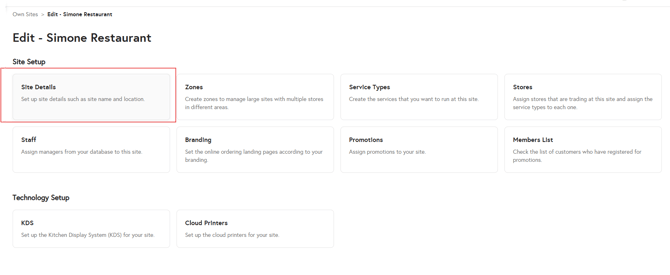
5. You can now edit the site details highlighted in red, including:
- Site Backend and Display Name
- Add or remove KDS, and set it to Yes or No.
- Disable Tips/Social Login
- Edit Address
- After editing click on 'Save Site' and that will save the changes for your site and reflect the changes.
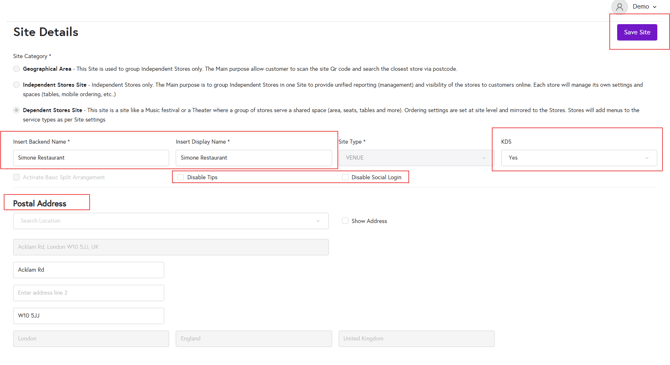
You cannot edit the site category or site type.