
Use NOQ's “Frequently Bought Together” feature because it increases average order value by encouraging relevant add-on purchases without extra marketing efforts.
1. Login to the NOQ Portal.
2. Navigate to F&B > Menus from sidebar.

3. Click on Manger Items on the menu you want to edit.
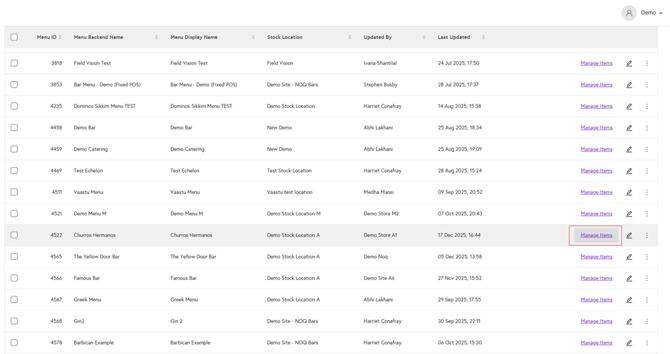
4. Here you will see all the categories and menu items you created. If you scroll right you will see a column name frequently bought together.
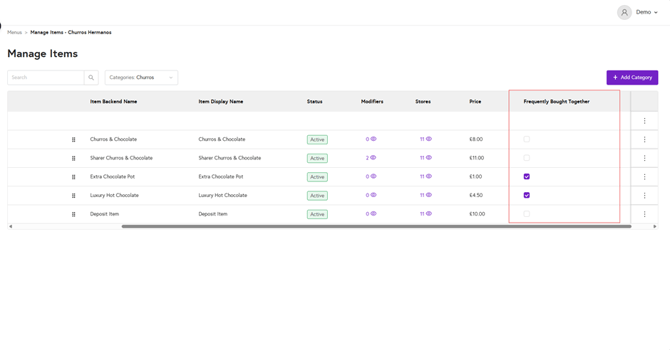
5. Under the frequently bought together column check box is given for each item. By enabling the checkbox, during checkout on webpage, checked box items will appear.
