
1. Login into the NOQ portal.
2. Navigate to Devices -> Device List from left navigation panel.

3. Under the Terminals tab, you can filter by sites, stores, and store type, or search by terminal number to see which terminals are assigned to each store or site within your business.
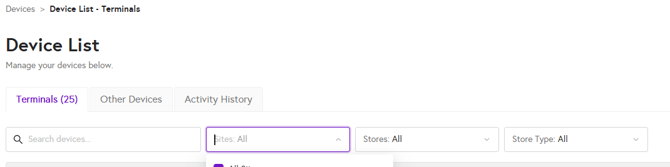
4. From the device list, you can see the last activity, the last card transaction on your device, which software version it is running, and whether WiFi and SIM card are enabled or not.
