A Stock Alert is a notification system that informs you when a product’s inventory reaches a predefined low level.
It helps you monitor stock levels and ensures you restock items before they run out.
1. Login to the NOQ portal.
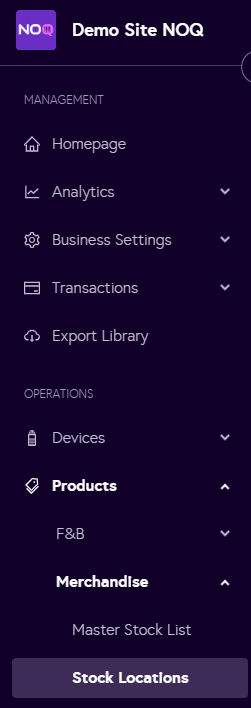
2. Navigate to Products -> Merchandise -> Stock Location.
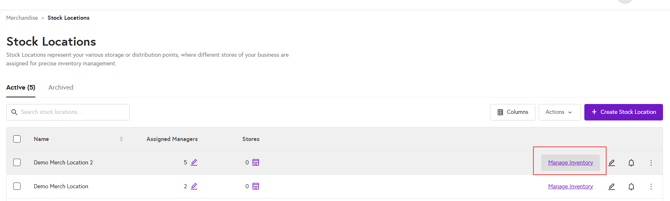
3. Click on Manage inventory for the stock location where you want to set alerts for the items.
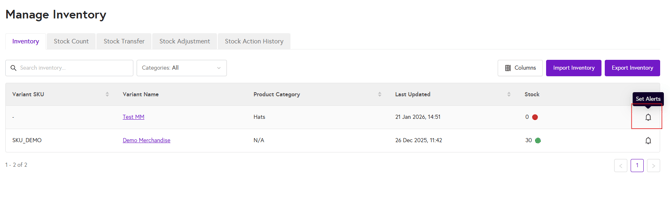
4. Click Set Alert for the product you want to configure an alert for.
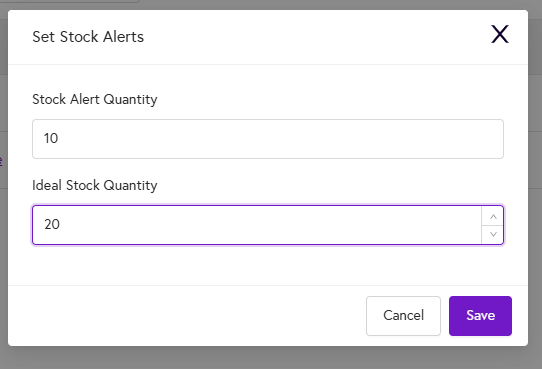
5. Enter the Stock Alert Quantity and Ideal Quantity, then click Save. You’ll receive an email notification to the address you’ve registered with us when the stock reaches the alert level, and you can also return to this page at any time to review and update these settings.