
1. Login to the NOQ portal.
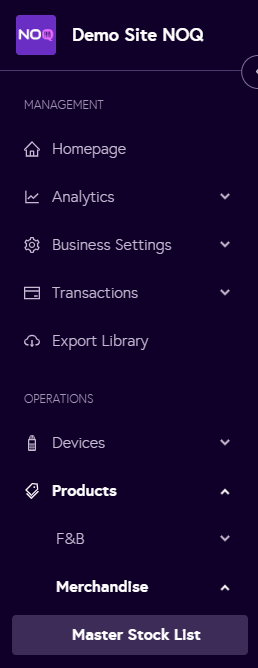
2. Navigate to Products -> Merchandise -> Master Stock List.
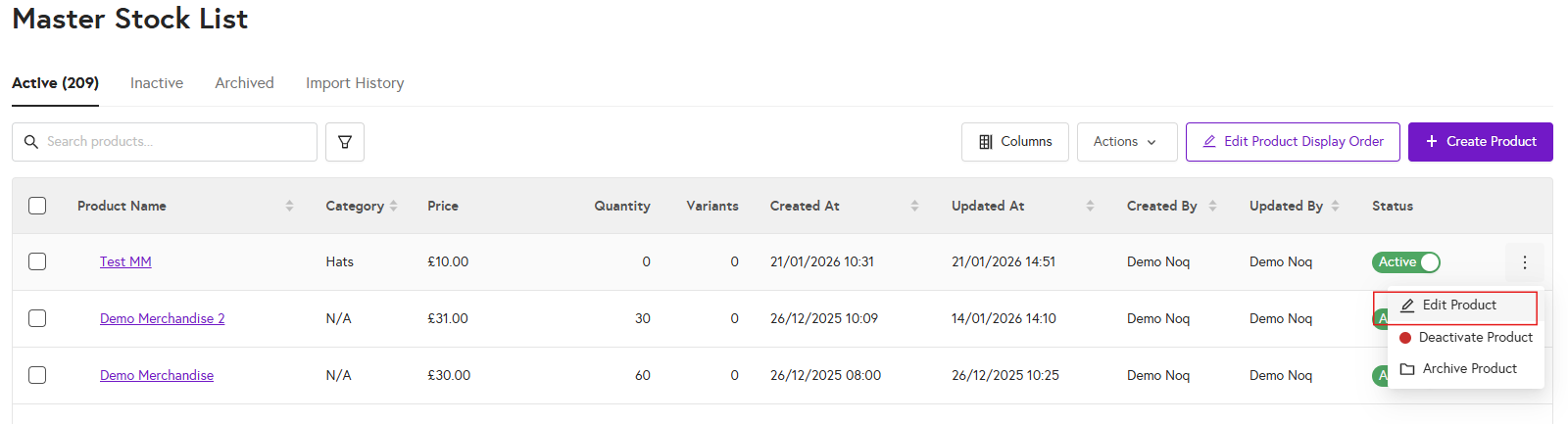
3. In the master stock list click on three dots and click on edit product
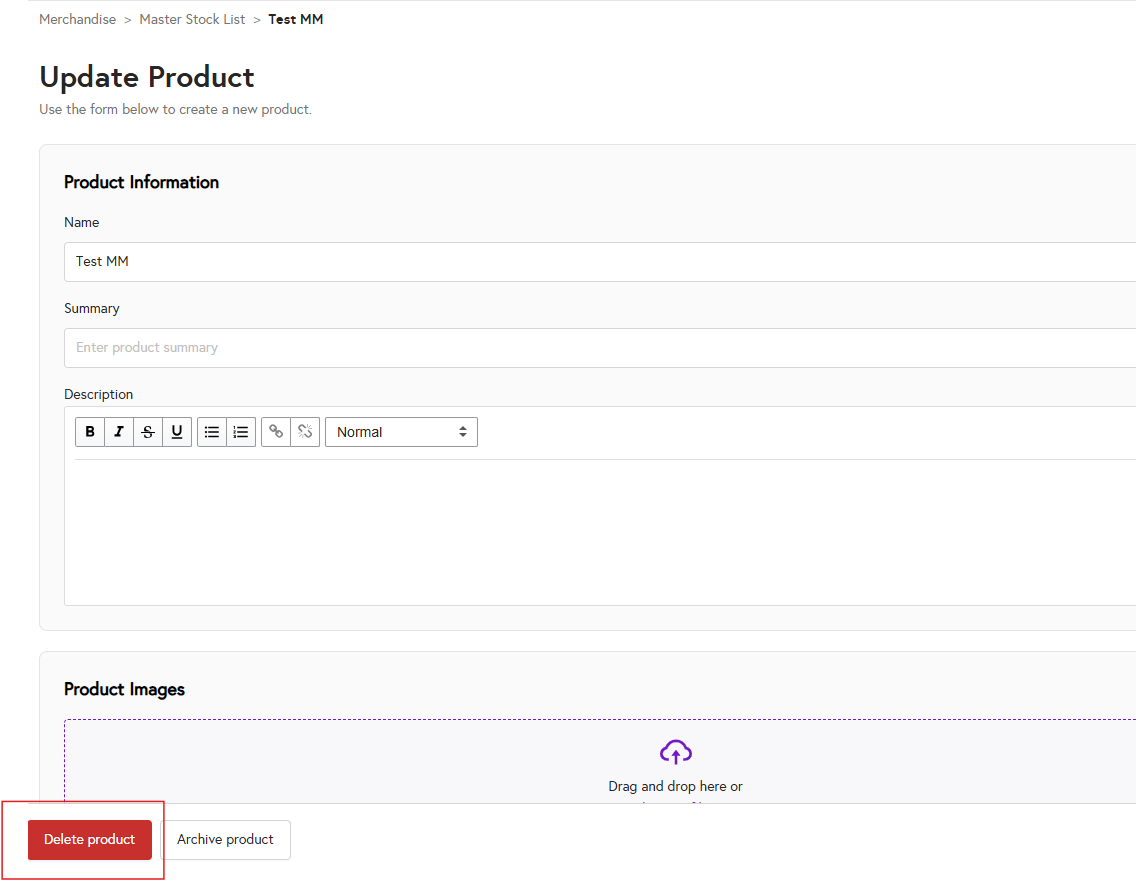
4. Click Delete product at the bottom-left of the page to delete the selected product.
1. Login to the NOQ portal.
2. Navigate to Products -> Merchandise -> Master Stock List.
3. In the master stock list click on three dots and click on edit product
4. Click Delete product at the bottom-left of the page to delete the selected product.