
1. Login to the NOQ portal.
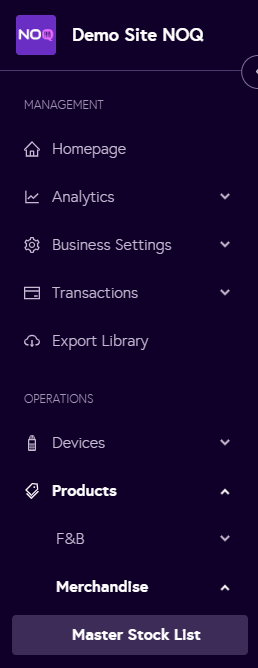
2. Navigate to Products -> Merchandise -> Master Stock List.
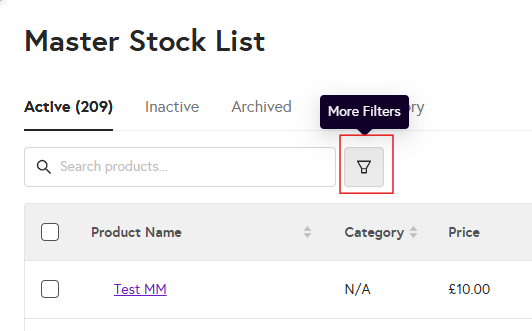
3. Click on funnel icon as shown in the screenshot below.
4. From the right-hand side, a filter panel will appear. You can filter by categories, tags, and collections, or select all, and then click Apply Filters.

5. Once you apply the filters, only the filtered products will be displayed.