
1. Login to the NOQ portal.
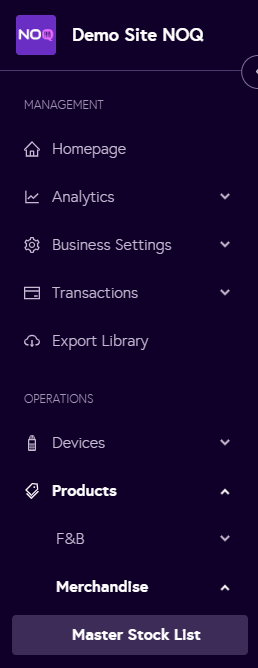
2. Navigate to Products -> Merchandise -> Master Stock List.
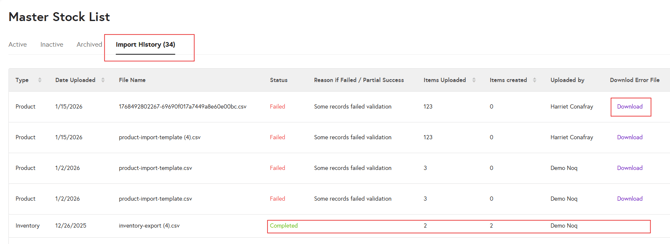
3.In the Master Stock List, click on the Import History tab.
-
Failed: If the import has failed, click Download to export the failure report.
- Completed: If the import has completed successfully, it will be highlighted in green and no error file will be generated.
Note: If you are experiencing issues downloading the import file or understanding the report, please contact us here.