1. Login to the NOQ portal.
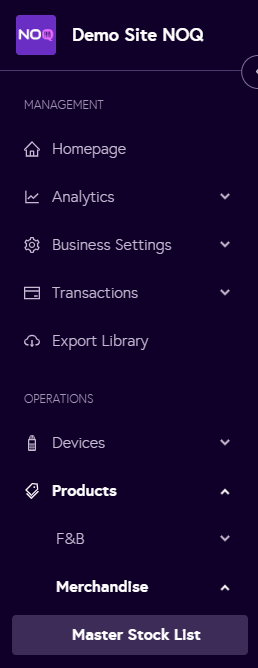
2. Navigate to Products -> Merchandise -> Master Stock List.
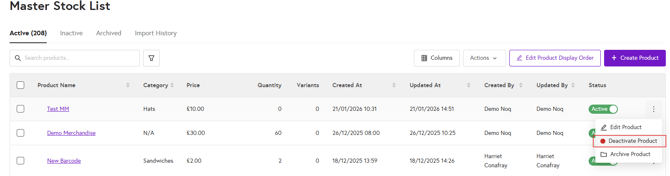
3.In the Master Stock List under the Active tab, click the three dots next to the product you want to deactivate.
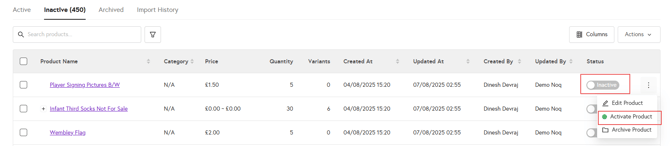
4. Once deactivated, the product will move to the Inactive tab. To reactivate it so it appears again on your chosen payment channel (EPOS or ecommerce store), go to the Inactive tab, here you can activate by two ways:
-
Toggle the status to Active under the Status column
- Click on the three dots and select Activate product.