1. Login into the NOQ portal.
2. Navigate to Devices -> Device List from left navigation panel.

3. Click on the 'Activity History' tab from the Device List Page.
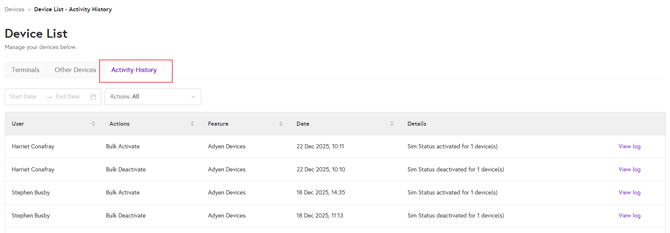
4. Here you can enter the start date and end date for which you would like to view the activity history.

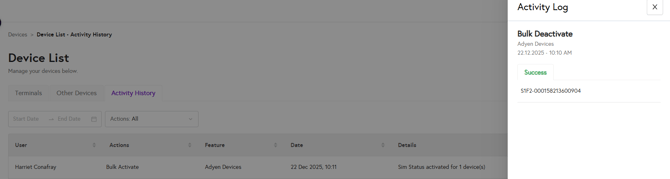
5. Once you have located the device, click on 'View Log' to see the activity log.