How It Works
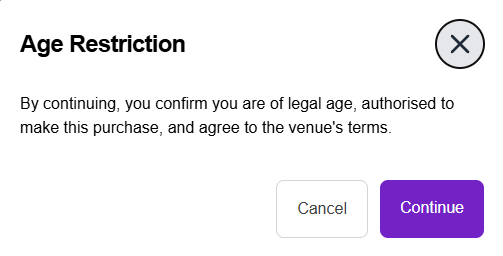
When an item is marked as age-restricted:
- A confirmation prompt appears during checkout.
- The customer must confirm that they are of legal age.
- The order can only proceed after confirmation.
How to Enable Age Restriction for an Item
Option 1: While Creating or Editing an Item
- Go to the item creation or edit screen in the backend.
- Toggle the Age-Restricted Item option to enable it.
- Create item as usual.

Option 2: Using Bulk Upload
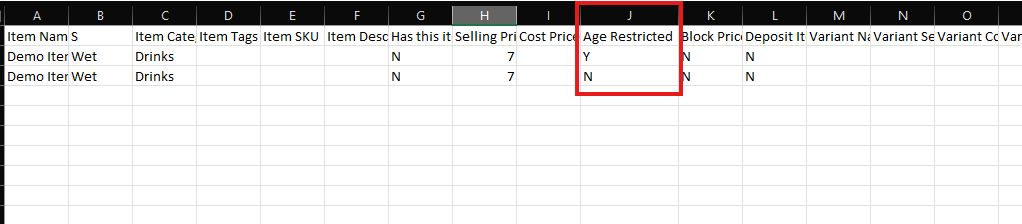
- In your bulk upload file, locate Column J.
- Enter “Y” to mark the item as age-restricted or "N" to mark as item is not age-restricted.
- Upload the file as usual.
What Happens During Checkout
- A customer adds the age-restricted item to their cart.
- During checkout on the mobile ordering website (PWA), a prompt will appear asking if the customer is of legal age to make the purchase.
- The customer must confirm before proceeding to payment.