
To find out how to access or download your
-
Order Report (EPOS), click here.
- Order Report (Merch), click here.
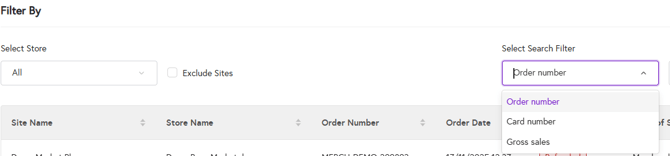
1. Once you are on the Order Report and have set the desired time frame, go to the “Filter by” section and open the search filter dropdown. You can then search for customer orders using one of the following, select one of the following from below:
-
-
Order number
-
Card number
-
Gross sales (total order amount)
-
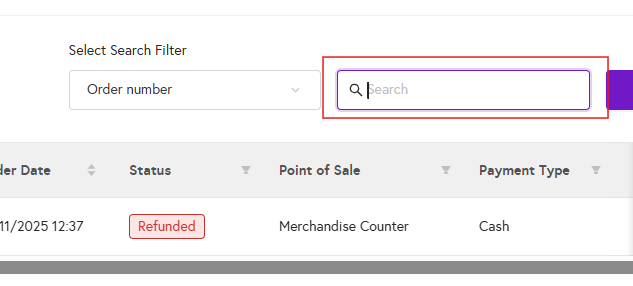
2. Based on the selected search filter, type in the order number, card number, or gross sales amount in the text box next to the search filter.
3. Based on your search, the customer order will be displayed. Click on “View details” to see the full order information.

4. The details will appear as follows:
