
1. Download the app.
- To download app from the Play Store Click Here
- To download app from the App Store Click Here
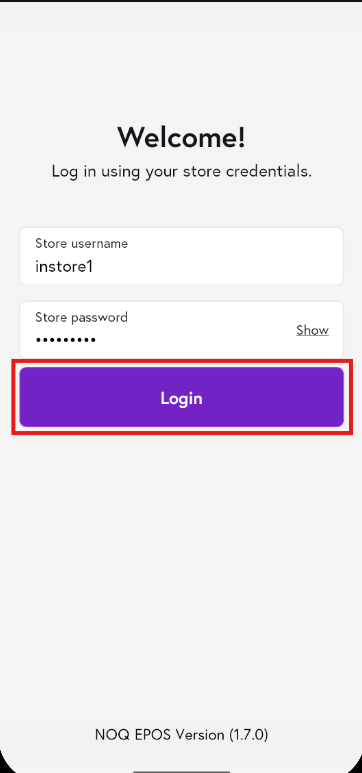
2. Once the app has finished downloading, open it to access the login screen.Enter your store credentials, then click Login.
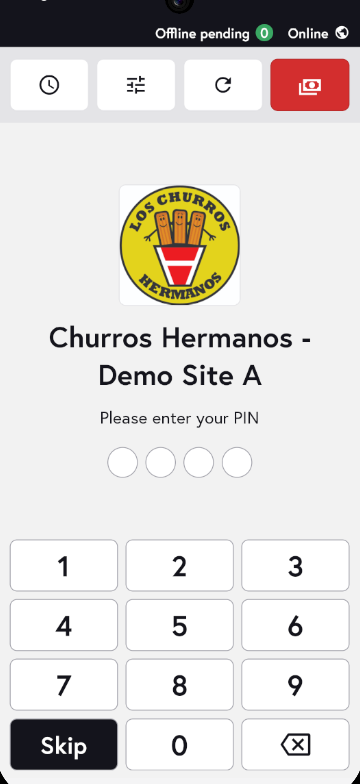
3. You will now see the NOQ EPOS v3 home screen, where you can access all app features.
Finding the login credentials.
1. Login to the NOQ portal.
2. From the sidebar, tap Stores, then tap the pencil icon to edit the store details.
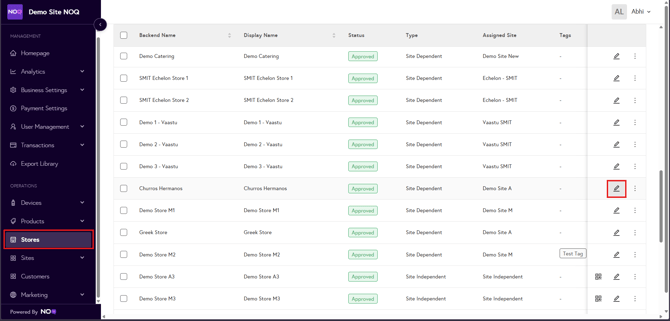
3. Click on Store Profile.

3. Enter the store username and password, then click Save Store. If a username already exists and you don’t remember the password, enter a new password and click Save Store to update it.
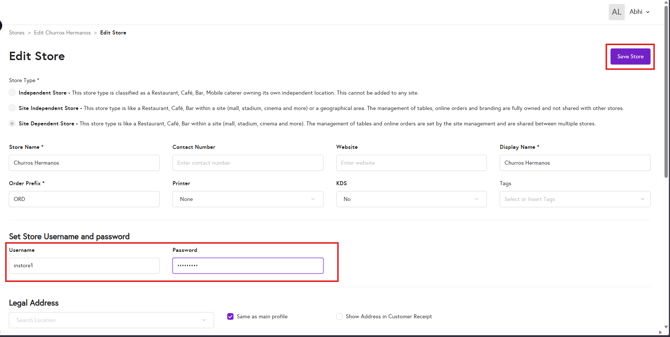
These details will be used as your login credentials for the NOQ EPOS v3 app.
Ready to explore the app? Follow the link below to get started.